Feature
Categories and Budget Plans
Split expenses by categories and set monthly or yearly plans to understand not only totals, but whether spending follows your target pace.
Key benefits
- Expense categories and subcategories
- Monthly and yearly category plans
- Plan, fact, and remainder in one view
- Current-day marker in the period
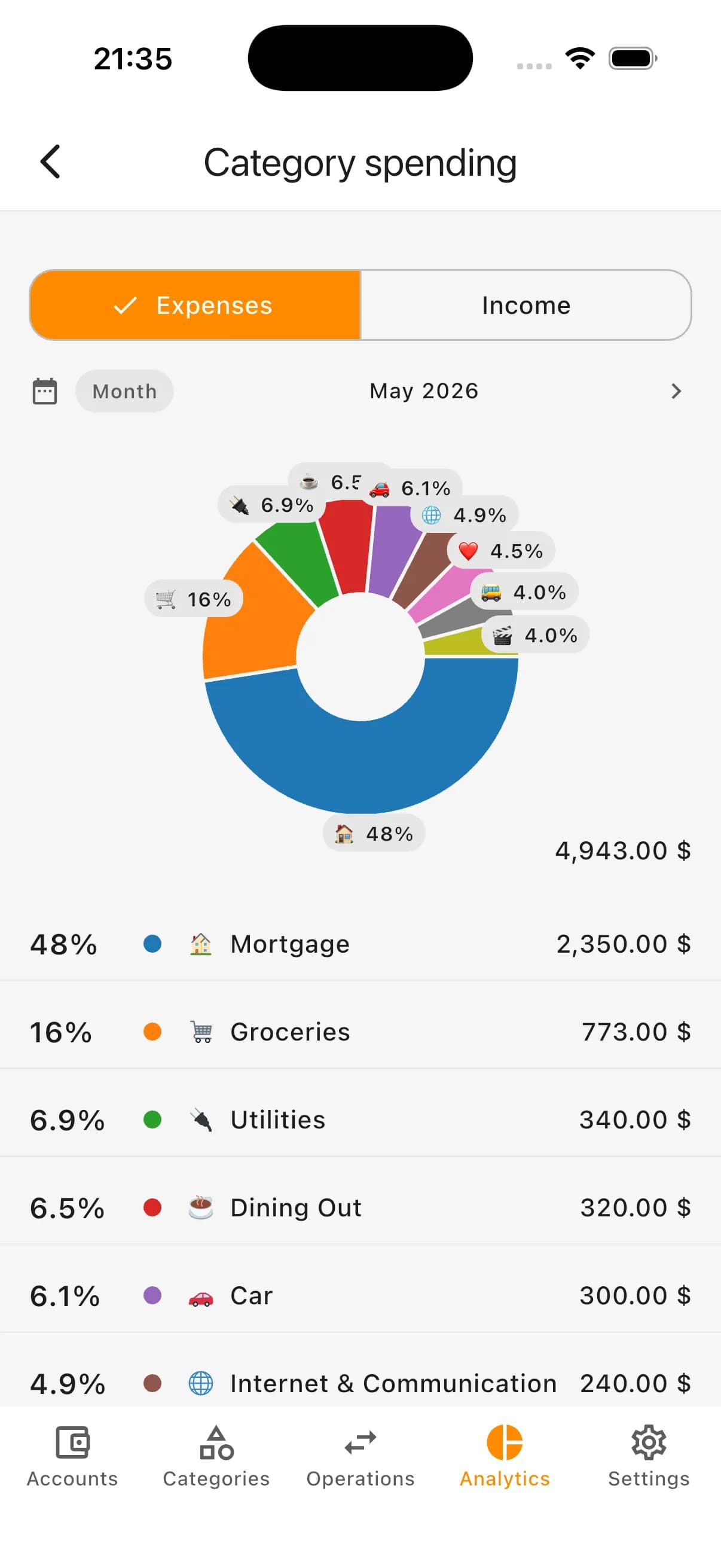
- Category-level expense analytics
- Supports personal and family budgets

Why combine categories with plans
Categories answer where money goes. Plans answer how much you intended to spend and how close you are to that target.
Together they make budget decisions clearer: you can see not only totals, but also which categories are accelerating faster than expected.
Categories show spending structure
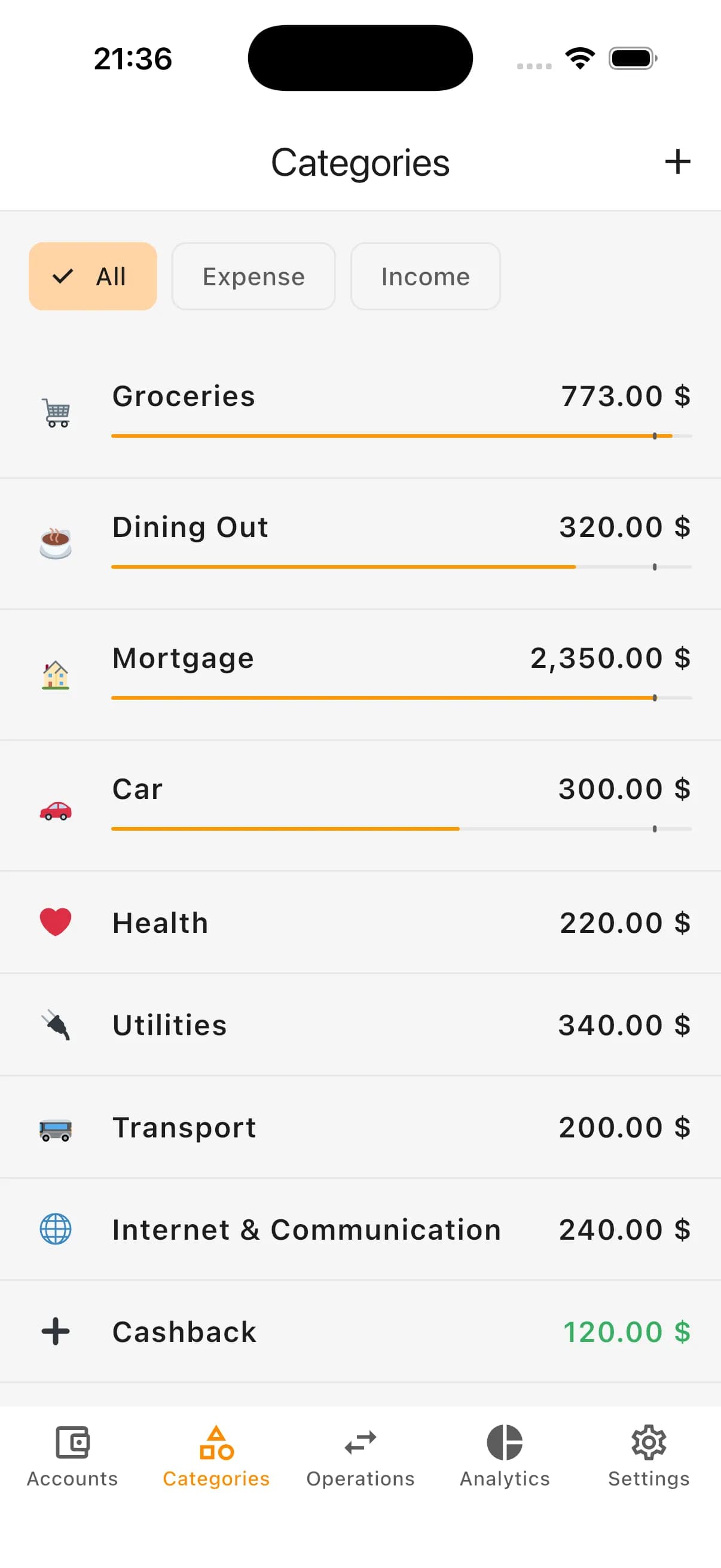
Monthly total alone does not explain spending behavior. Categories break expenses into practical areas: groceries, transport, housing, health, subscriptions, car, and more.
Subcategories help with deeper analysis. Inside “Car”, for example, you can separate fuel, maintenance, parking, washing, and insurance.
The goal is practical analytics for decisions, not perfect classification of every purchase.
Example expense categories
- Groceries
- Utilities
- Transport
- Health
- Home and household
- Cafes and restaurants
- Subscriptions
- Entertainment
- Clothing
- Car
Plans define category guidance
A plan is a target amount for a specific category. You can plan groceries, transport, car, entertainment, and other important areas.
Plans are not hard limits and do not block spending. They highlight pace deviations early so you can adjust, revise the plan, or understand the reason.
Monthly and yearly plans
Monthly plans fit regular categories like groceries, transport, cafes, or subscriptions.
Yearly plans fit uneven categories such as car expenses, insurance, repairs, health, education, gifts, or seasonal costs.
Monthly and yearly plans can work together for short-term control and long-term perspective.
What you see on category screen
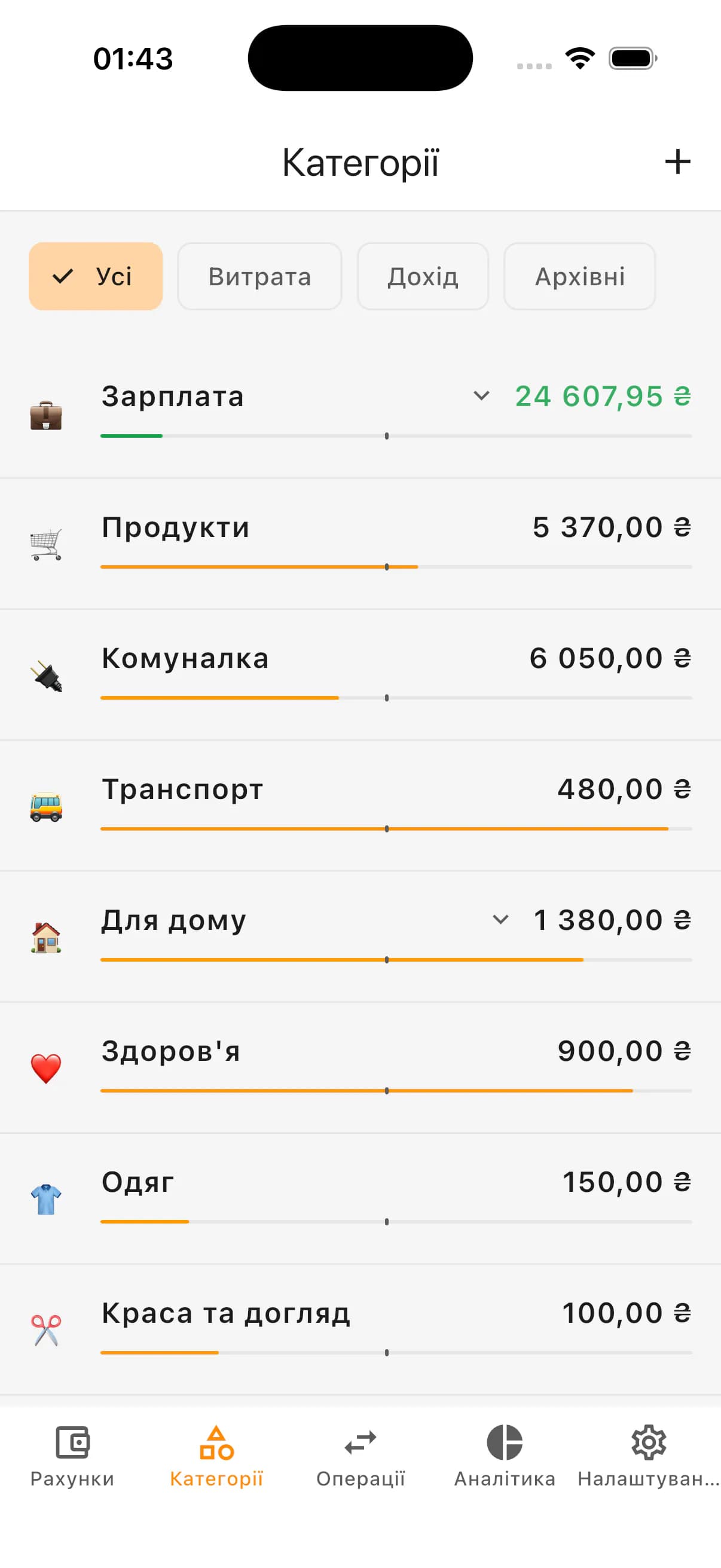
- Planned amount
- Already spent
- Amount left to plan
- Progress for month or year
- Current day marker in period
- Whether spending pace is ahead or behind period
How this improves expense control
Plans are effective only with regular transaction tracking. Once operations are categorized, Kiso Money can compare factual spending with your target.
This helps identify problematic categories before month-end, while there is still room to adjust.
Example
If your monthly plan for Cafes & Restaurants is already over half spent by mid-month, it is not an error and not a ban. It is a clear pace signal for a decision.
Plans for personal and family budget
In personal budgeting plans support habit control: daily shopping, subscriptions, transport, entertainment, and other recurring expenses.
In family budgeting plans align shared categories: groceries, home, car, health, and recreation with one agreed target and factual progress.
How plans differ from hard limits
A plan in Kiso Money is guidance, not a ban. It is not designed to punish overspending or block every purchase.
Its job is context: what you planned, what you spent, and whether current pace fits the period.
Where to start
- Groceries
- Cafes and restaurants
- Transport
- Car
- Subscriptions
- Entertainment
- Home and household
How it looks in the app: categories
How it looks in the app: plans
How it looks in the app: analytics
Who categories and plans fit
- People who want clear spending structure
- People controlling expenses without hard restrictions
- Personal and family budget workflows
- People analyzing categories and subcategories
- People tracking plan/fact/remainder in key areas
- People reducing spreadsheet dependency
FAQ
Can I use categories without plans?
Yes. Categories alone are enough for tracking and analytics. Plans can be added later only for categories where you need additional guidance.
Can I create subcategories?
Yes. Subcategories provide deeper analysis. For example, inside “Car” you can split fuel, maintenance, parking, washing, and insurance.
Do plans work like limits?
No. Plans in Kiso Money are guidance, not strict limits. They surface deviations but do not block spending above plan.
Can I set both monthly and yearly plans?
Yes. You can use monthly and yearly plans for one category to keep both short-term and long-term spending control.
What does the current-day marker show?
It shows how much of the month or year has passed, so you can compare real spending pace with period progress.
Are plans useful for family budget?
Yes. Plans work well for shared family categories such as groceries, home, car, health, and recreation.
Try categories and plans in Kiso Money
Create categories, add transactions, set plans, and track how factual spending aligns with your budget.