Feature
Income and Expense Analytics
See how your financial picture changes over time: balances by day, income and expense dynamics, category structure, and savings progress.
Key benefits
- Day-by-day total money chart
- Cumulative income and expense view
- Monthly income and expense summary
- Expense categories analytics
- Income categories analytics
- Dedicated savings chart

Why you need analytics
- Understand how your full financial picture changes over time.
- Track income and expenses as dynamics inside the period, not only end totals.
- Identify major expense categories and where budget pressure starts.
- Analyze income separately so sources are clear and not mixed with spending.
- Monitor savings trajectory with dedicated accumulation analytics.
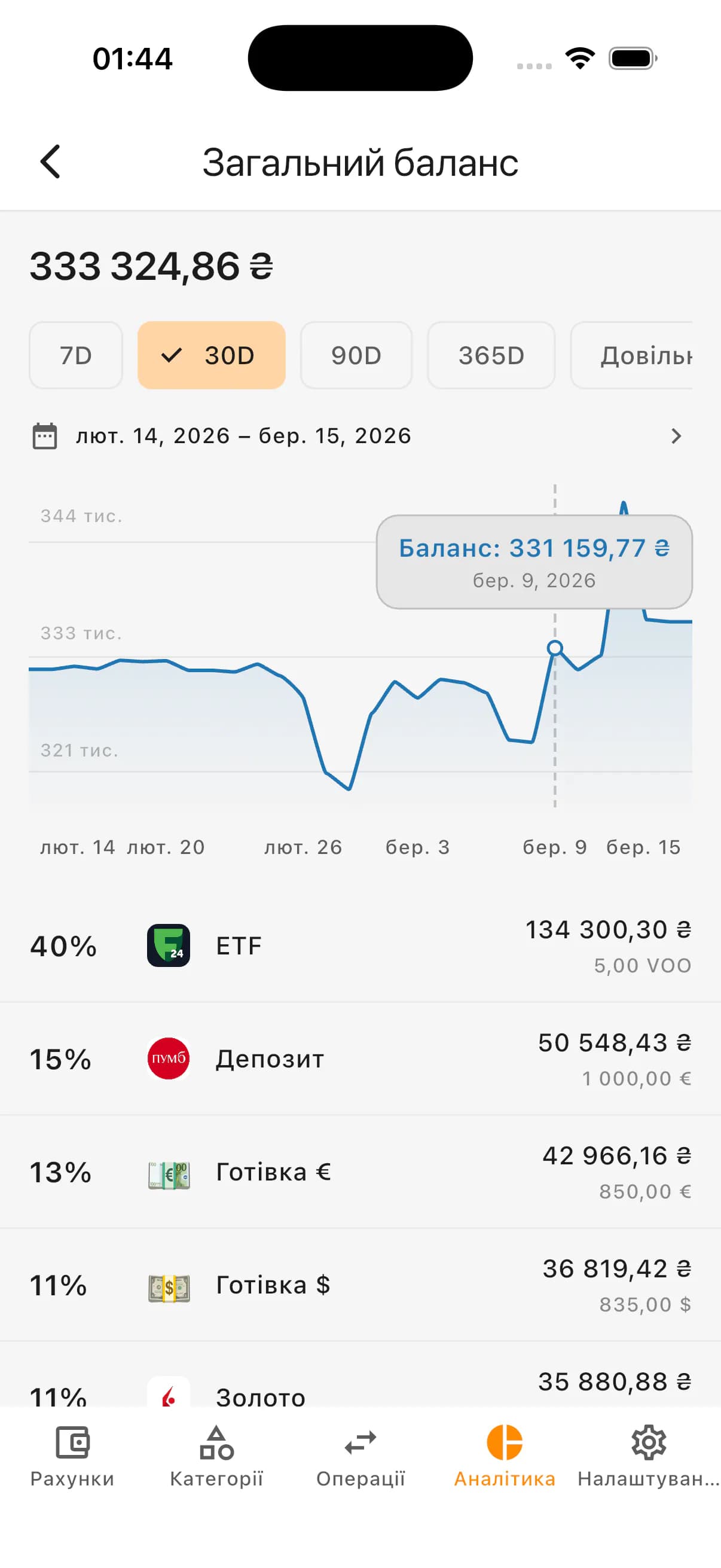
Total money by day chart
One of the core analytics screens shows how much money you had on each day of the selected period.
If accounts are in different currencies, values are converted into base currency using the historical rate for each exact chart day.
This helps evaluate whether your total balance grows, declines, or stays flat over time.
What this chart helps you see
- Money amount for each day of the period
- Multi-currency conversion to base currency by exact historical day
- How total amount changed over time
- Where sharp drops or growth happened
- Impact of large income, expenses, or transfers
- Where the financial picture improved or worsened
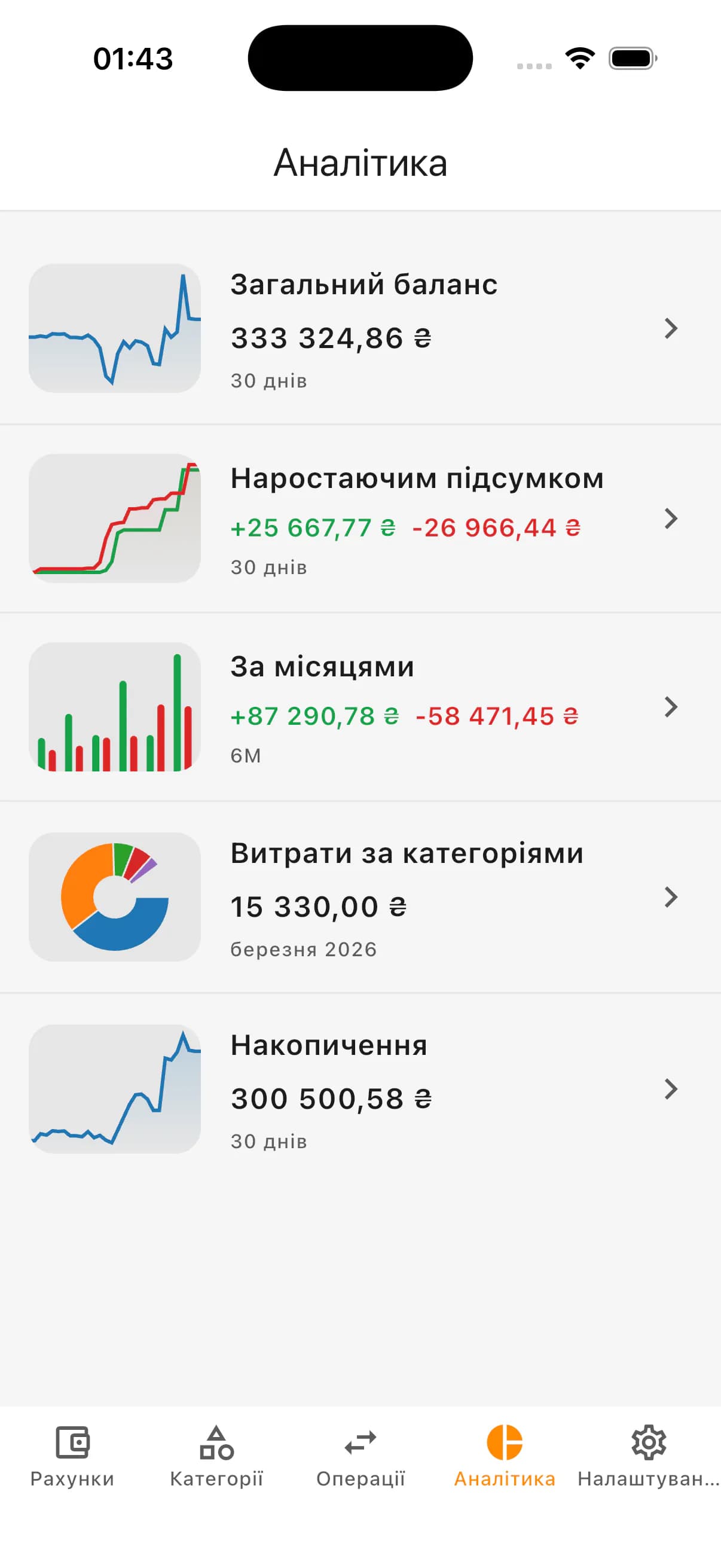
Cumulative income and expense chart
Cumulative chart shows how income and expenses build day by day inside a selected period.
Instead of only looking at month-end totals, you can detect when spending accelerates and when key income arrives.
What cumulative chart shows
- Cumulative expenses by each day
- Cumulative income by each day
- Days where expenses started to accelerate
- When main income inflows appeared
- How income-expense gap changed within period
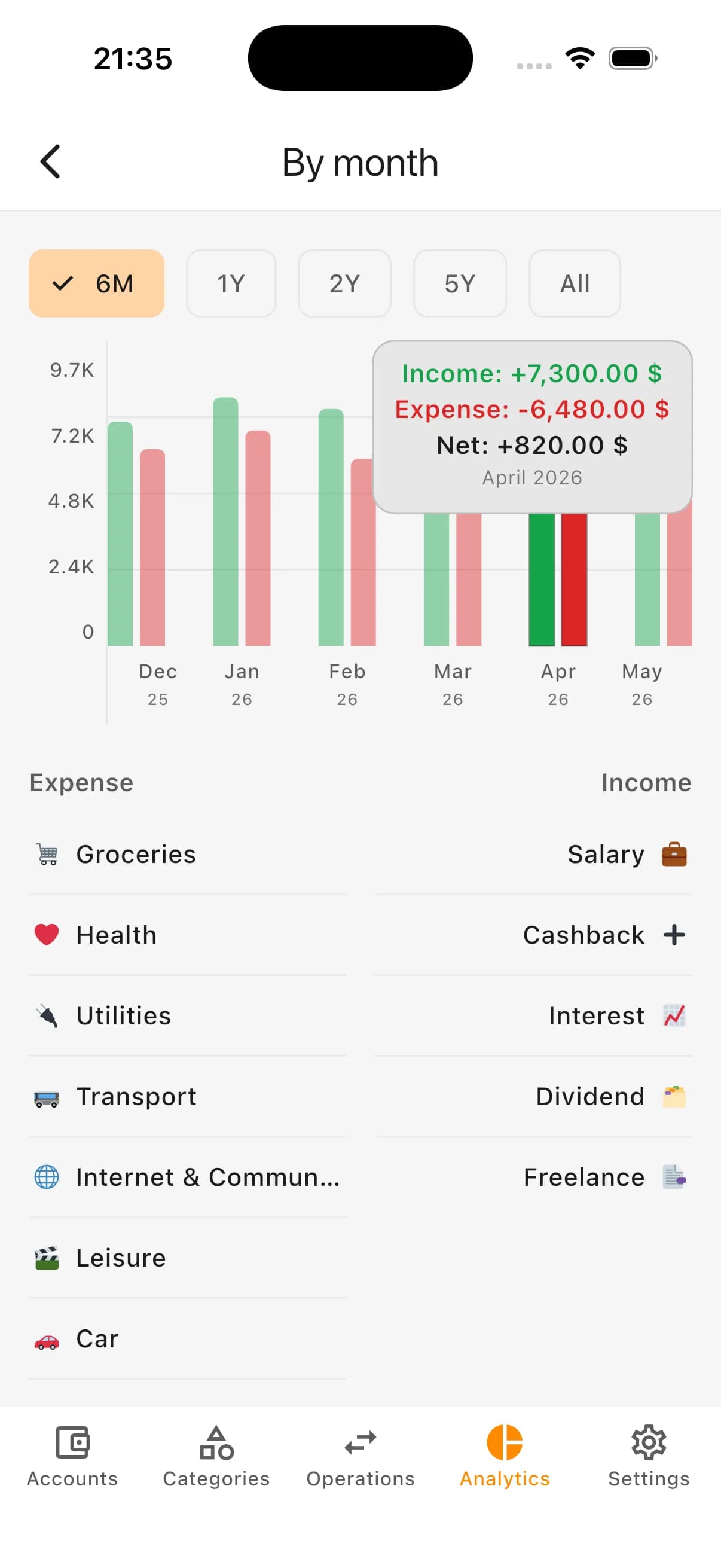
Monthly income and expense summary
Monthly summary compares income and expenses month by month on one screen.
It helps quickly spot expensive months, periods with stronger income, and recurring patterns without manual spreadsheets.
What you can learn from monthly summary
- Expense total for each month
- Income total for each month
- Most expensive months
- Where income exceeded expenses
- Where expenses were above normal
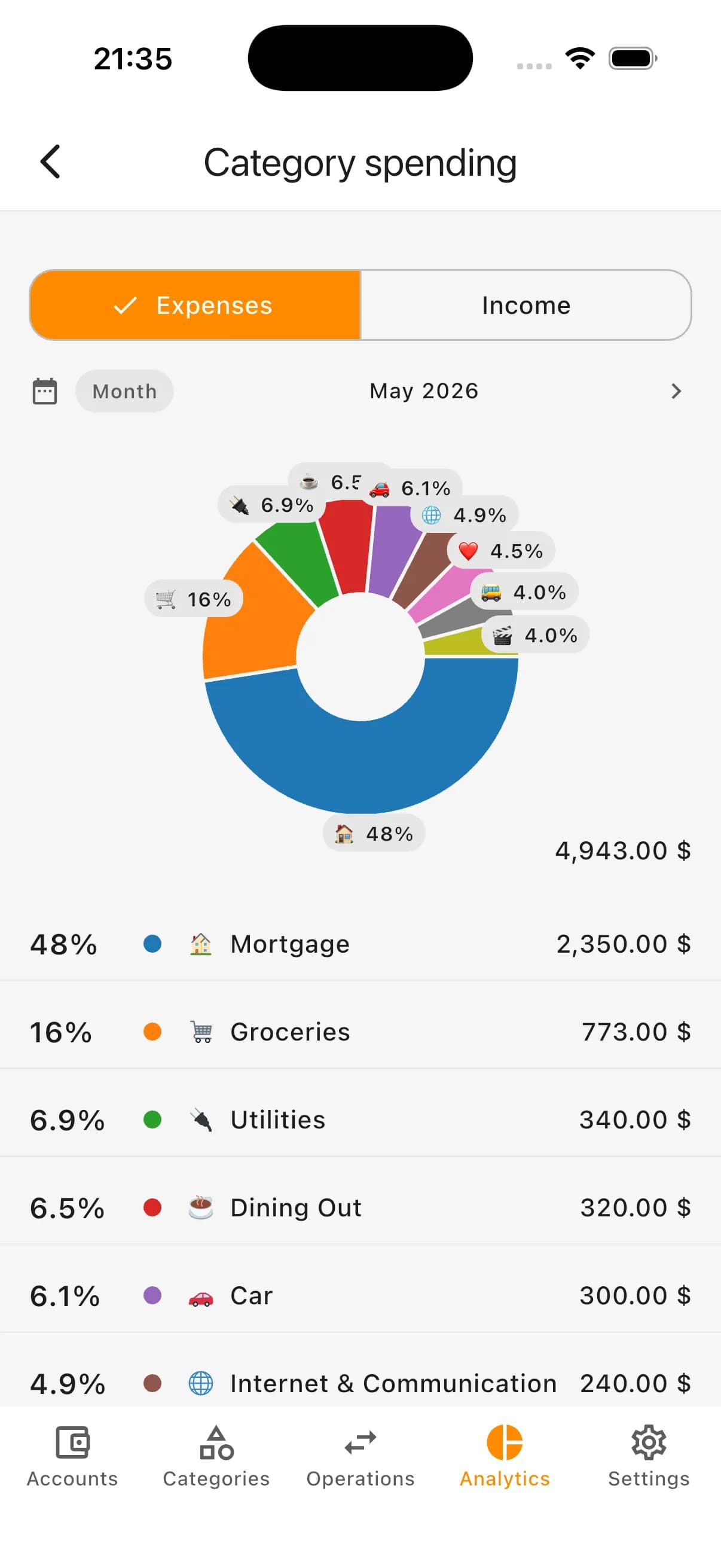
Expense categories analytics
Category analytics shows exactly where money goes and why total expense alone is not enough.
If expenses increased, categories help pinpoint where growth happened first: groceries, transport, housing, subscriptions, health, or other areas.
Questions this block answers
- Where does most money go?
- Which categories grew in selected period?
- Where can expenses be revised?
- Which costs repeat every month?
- Which categories need stricter planning?
Income categories analytics
Income can also be analyzed by categories: salary, side jobs, refunds, gifts, interest, sales, and other sources.
Separate income analytics keeps inflows clear and avoids mixing them with expense structure.
What income analytics shows
- Main income sources
- Income totals for selected period
- Share of each income category
- Income changes between periods
- Irregular or one-off inflows
Savings chart
In Kiso Money you can mark accounts as savings and track them separately from day-to-day spending.
Savings in different currencies are converted to base currency by historical day rate, which keeps long-term dynamics realistic.
What savings analytics helps you see
- Saved amount for each day
- Whether savings are growing over time
- Where withdrawals or drawdowns happened
- How savings accounts evolve together
- How stable savings progress is
Analytics for personal and family budgets
In personal budgeting analytics highlights your habits: where expenses cluster, how income changes, whether balance grows, and if savings are consistent.
In family budgeting analytics creates one shared picture of expenses, categories, income, savings, and period changes so discussions are data-based.
What you get
- History of money changes by day
- Cumulative income and expense view
- Month-by-month income and expense comparison
- Expense categories analytics
- Income categories analytics
- Dedicated savings analytics
- A clearer personal or family finance picture
How it looks in the app: total money by day
How it looks in the app: cumulative totals
How it looks in the app: monthly summary
How it looks in the app: categories
How it looks in the app: savings
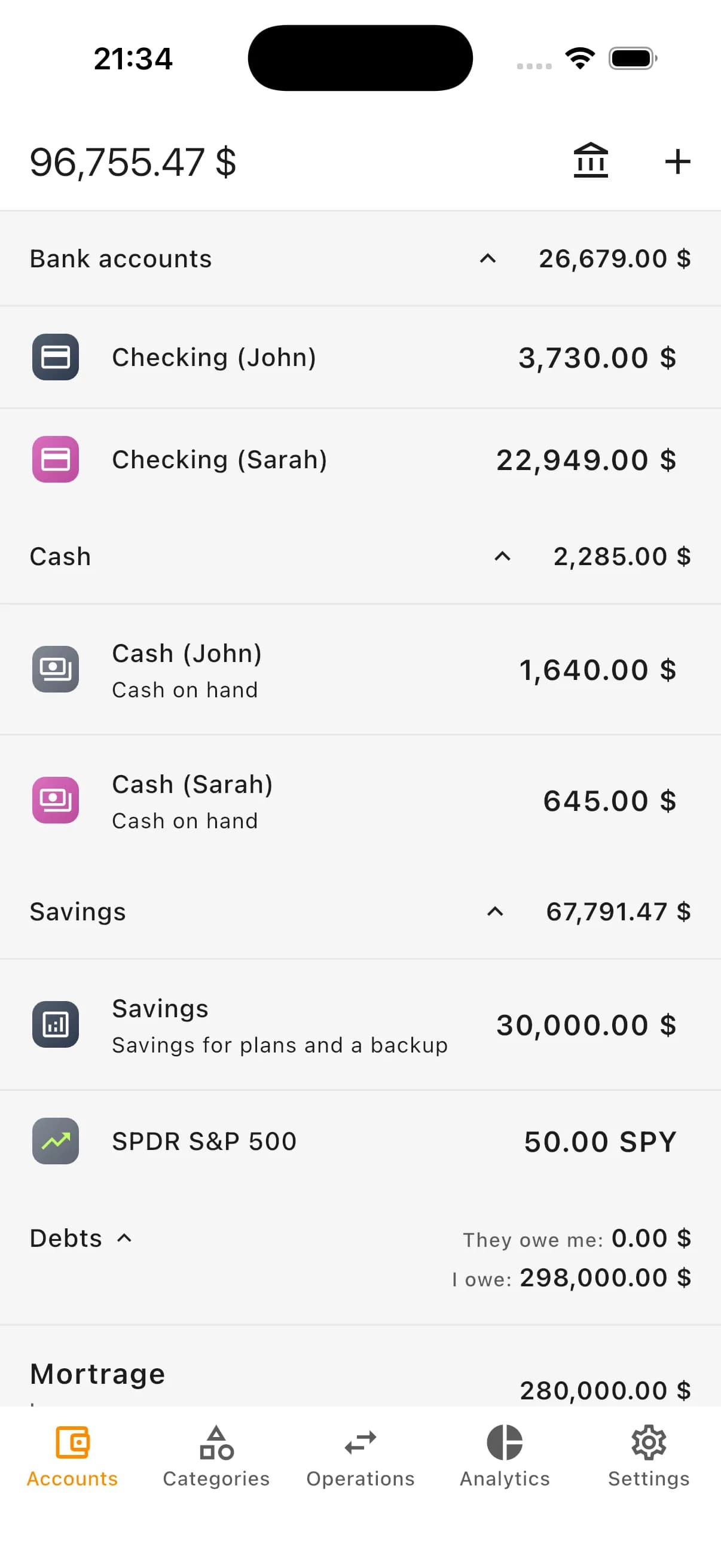
Who analytics in Kiso Money is for
- People who want to understand where money goes
- People who want day-by-day balance dynamics
- People who compare income and expenses by month
- Personal and family budgeting workflows
- Users with savings accounts or financial goals
- People making decisions from data rather than assumptions
FAQ
What does analytics in Kiso Money show?
It shows day-by-day total money, cumulative income and expenses, monthly summary, expense and income categories, and separate savings analytics.
Can I check how much money I had earlier?
Yes. Day-by-day total money chart lets you inspect balances for specific historical dates in the selected period.
What is cumulative income and expense view?
It shows how income and expenses accumulated day by day during the period, not just the final total.
Can I analyze expenses by categories?
Yes. Category analytics shows where most spending goes and which categories changed over time.
Can income be analyzed separately?
Yes. Income is shown separately by categories so inflows are not mixed with expenses.
How does savings chart work?
Mark an account as savings and it will appear in dedicated savings analytics so you can track progress by day.
Is analytics suitable for family budgeting?
Yes. It provides a shared family view of expenses, income, categories, savings, and period changes.
Start analyzing finances in Kiso Money
Add accounts, categories, and transactions to see clear money dynamics across balances, income, expenses, and savings.