Feature
Expense Tracking in Kiso Money
Add expenses and income, distribute operations by categories, use plans as guidance, and review budget analytics in one app.
Key benefits
- Fast expense entry
- Categories and subcategories
- Expense tracking across multiple accounts
- Analytics by categories and periods
- Plans as budget guidance
- Personal and family budget support

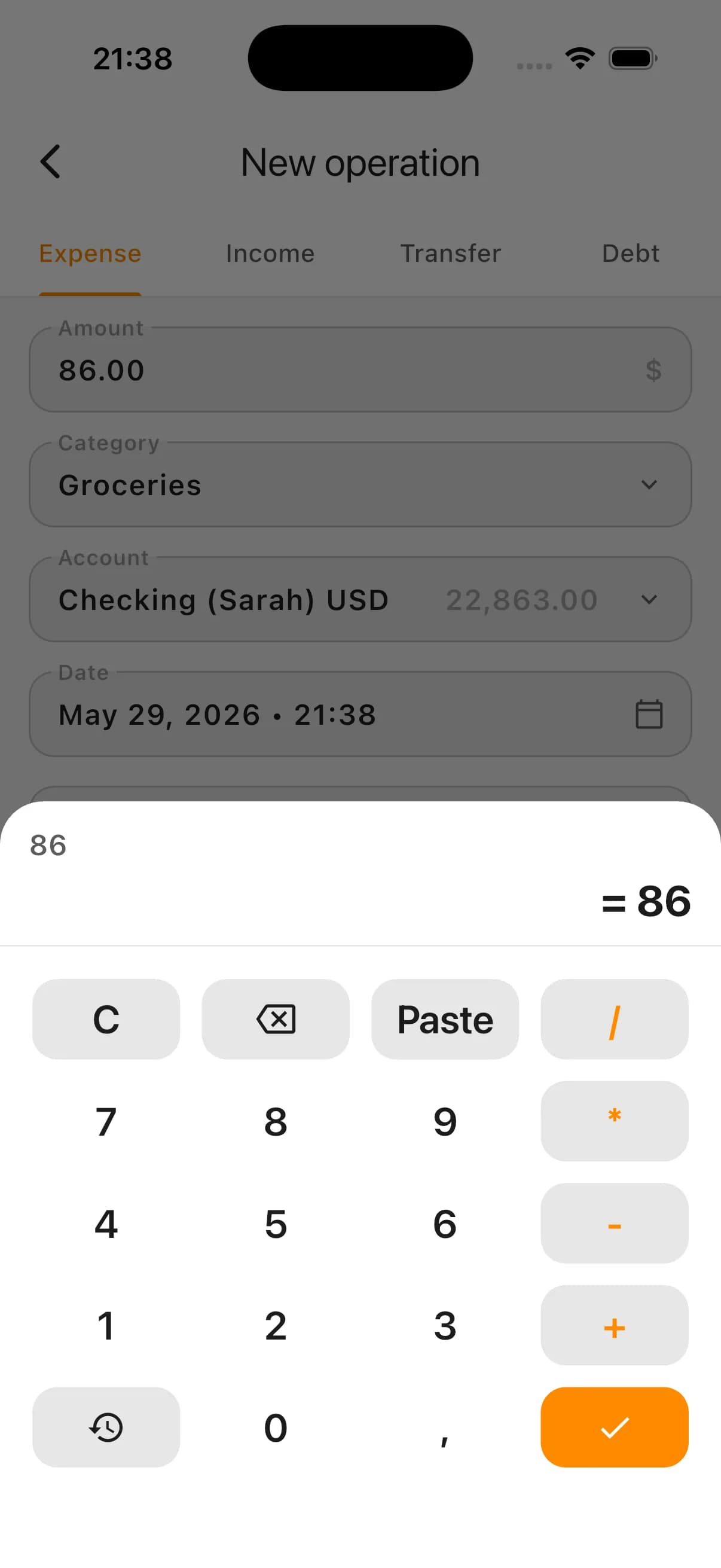
Fast expense capture
Budget control starts with regular transaction logging. If expenses are not recorded, it gets hard to remember where money went after just a few days.
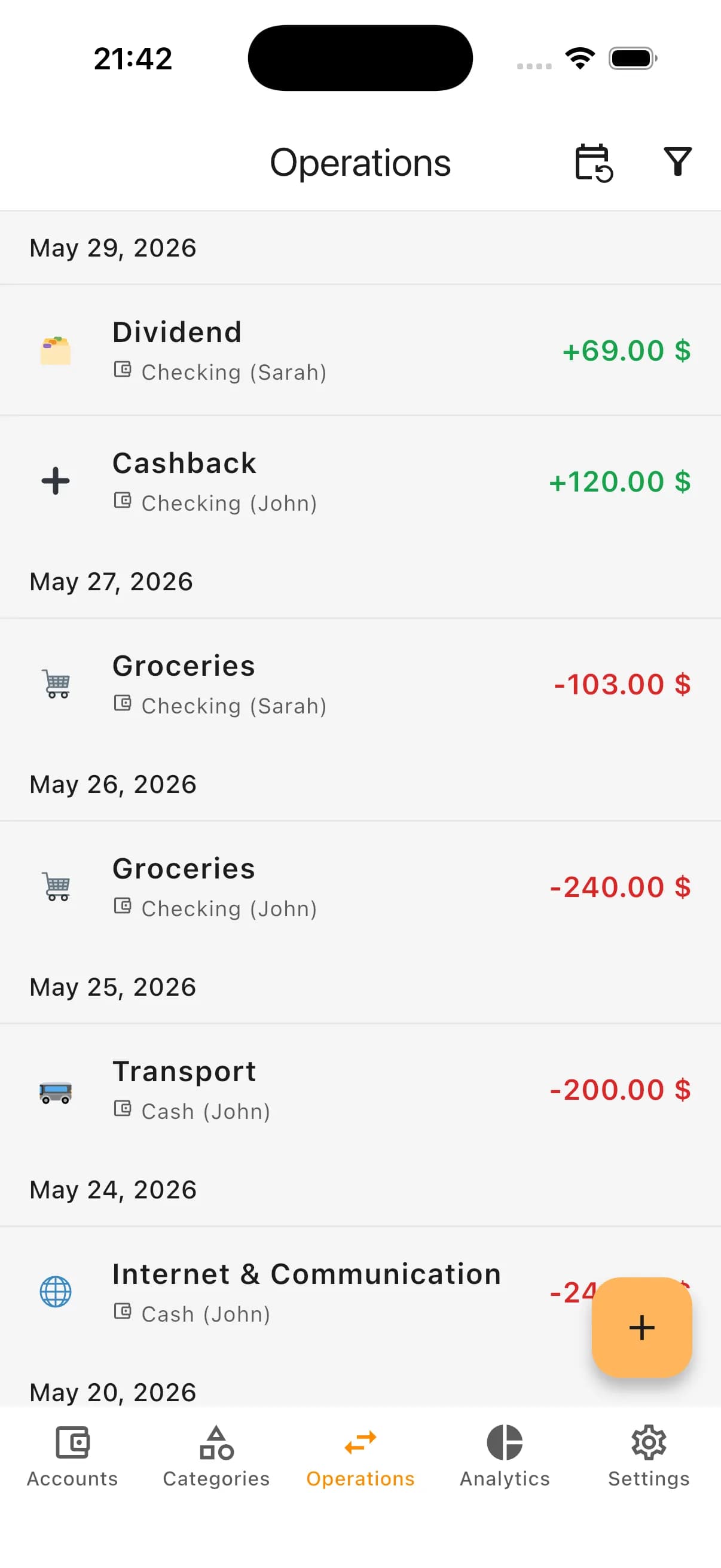
In Kiso Money you can add both expenses and income in seconds, link the entry to an account and category, and keep your budget current across cards, cash, savings, and other accounts.
Where expense tracking helps most
- Understand where money goes by reviewing category structure across periods, not only a monthly total.
- Control daily spending with up-to-date records across cards, cash, savings, and other accounts.
- Plan budget more calmly with category plans as practical guidance.
- Run personal or family workflows with separate accounts and one shared finance picture.
What you can set in one expense record
- Amount
- Account used for payment
- Category and subcategory
Convenient defaults for daily input
Operation date is set automatically, currency comes from the selected account, and you can add a short note only when you need context.
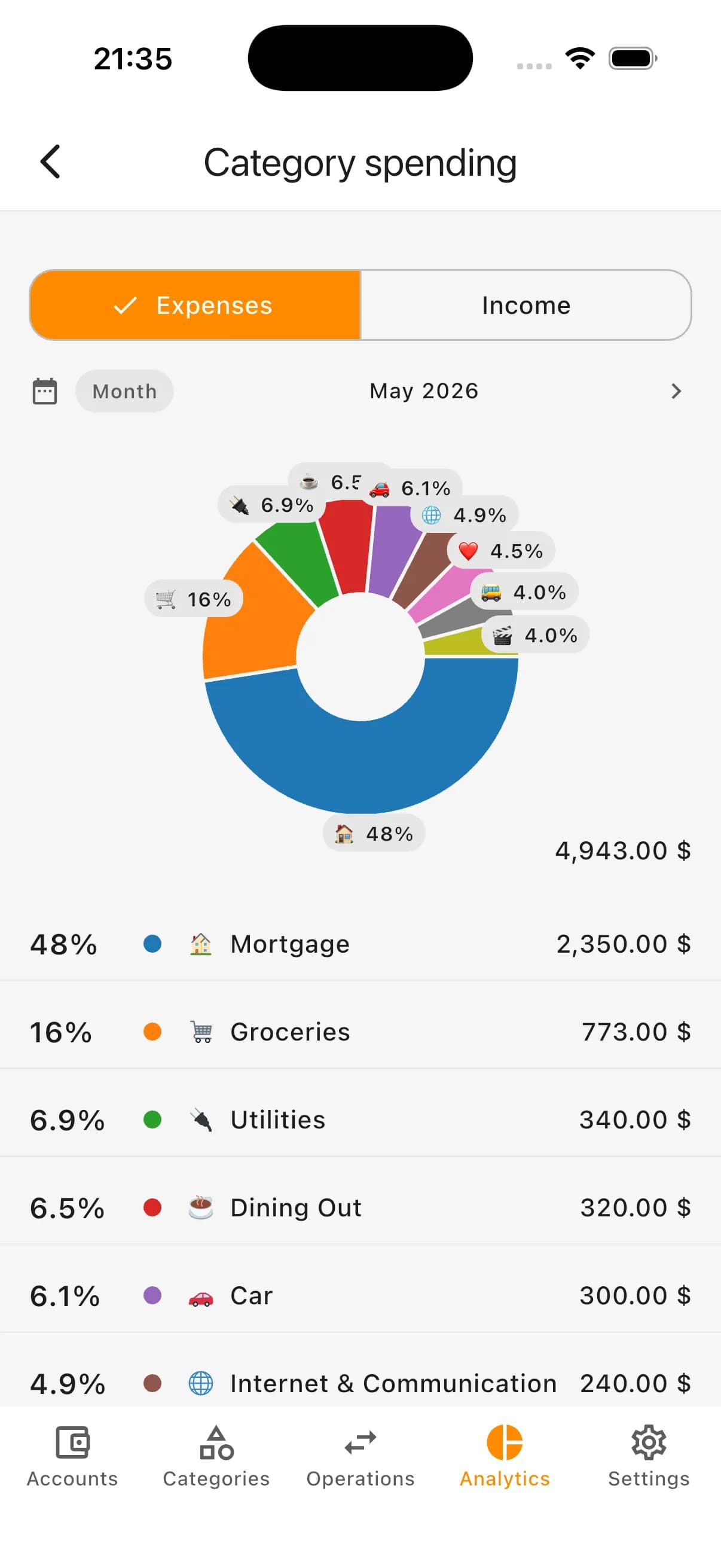
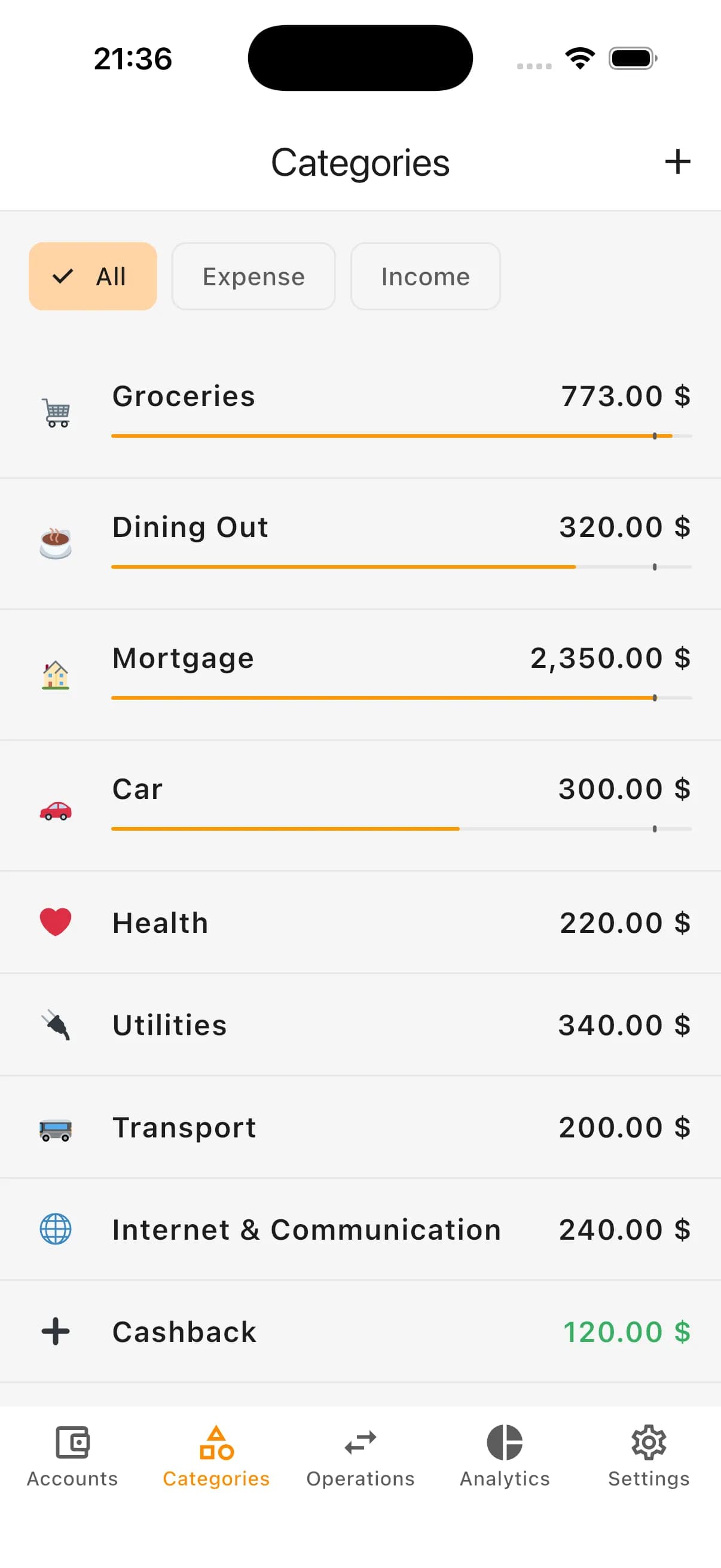
Categories show where money goes
A total monthly number tells little. Category structure shows what really drives spending.
If you need more detail, use subcategories. For example, inside “Car” you can separate fuel, maintenance, parking, insurance, and other recurring costs.
The goal is not a perfect classification of every purchase. The goal is practical analytics you can use for decisions.
Typical expense categories
- Groceries
- Utilities
- Transport
- Health
- Home and household
- Cafes and restaurants
- Subscriptions
- Entertainment
- Clothing
Plans as budget guidance
Plans help set reasonable targets by category before spending starts. Monthly and yearly plans can work together.
A plan is not punishment and not a rigid cap. It is a practical signal that helps notice unusual growth early and adjust budget calmly.
What plans show
- Planned amount per category
- How much is already spent
- How much remains before planned amount
- Spend progress by month or year
- Current day marker to compare pace
Expense analytics without chaos
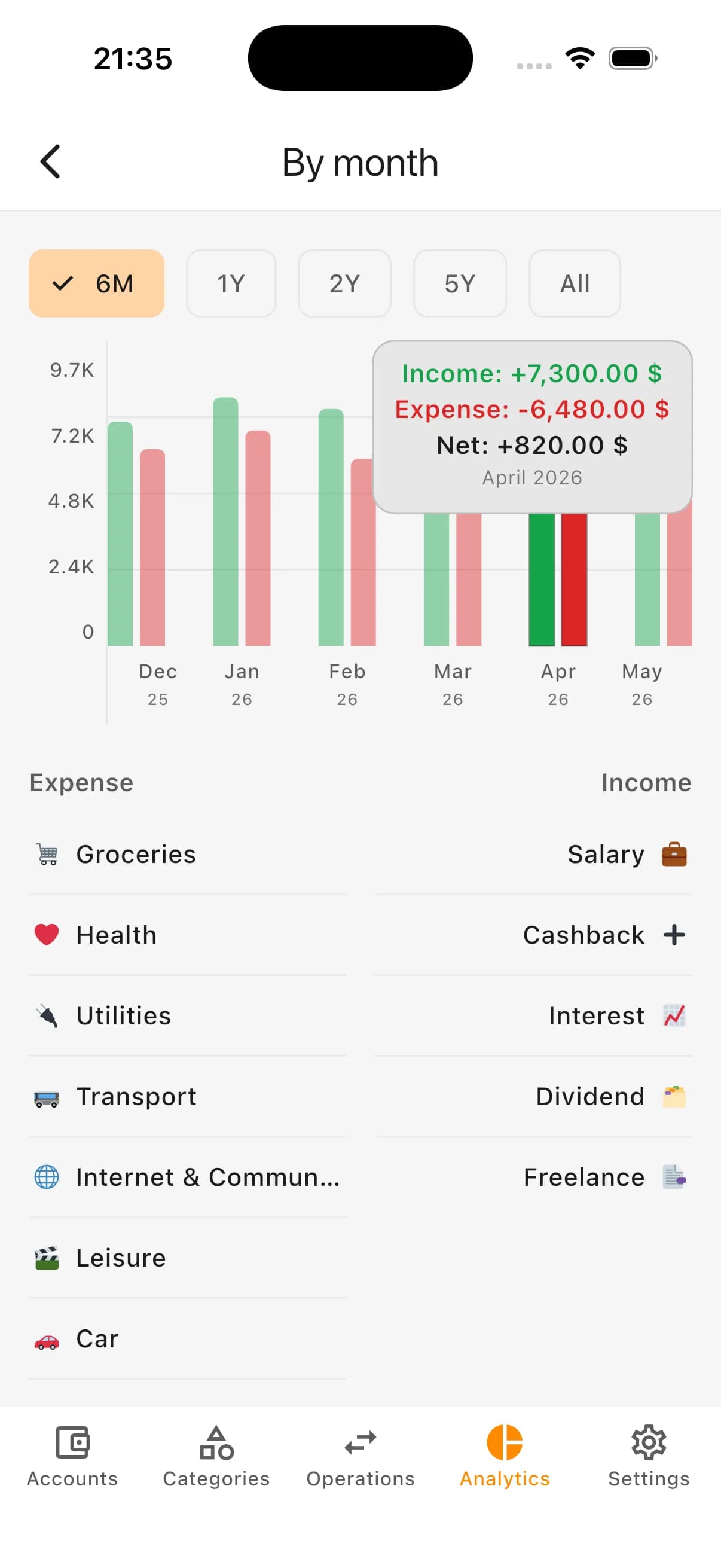
Kiso Money turns long transaction lists into clear budget structure: categories, trends, and top spending areas.
What analytics includes
- Category-level spending
- Trends over selected periods
- Top spending directions
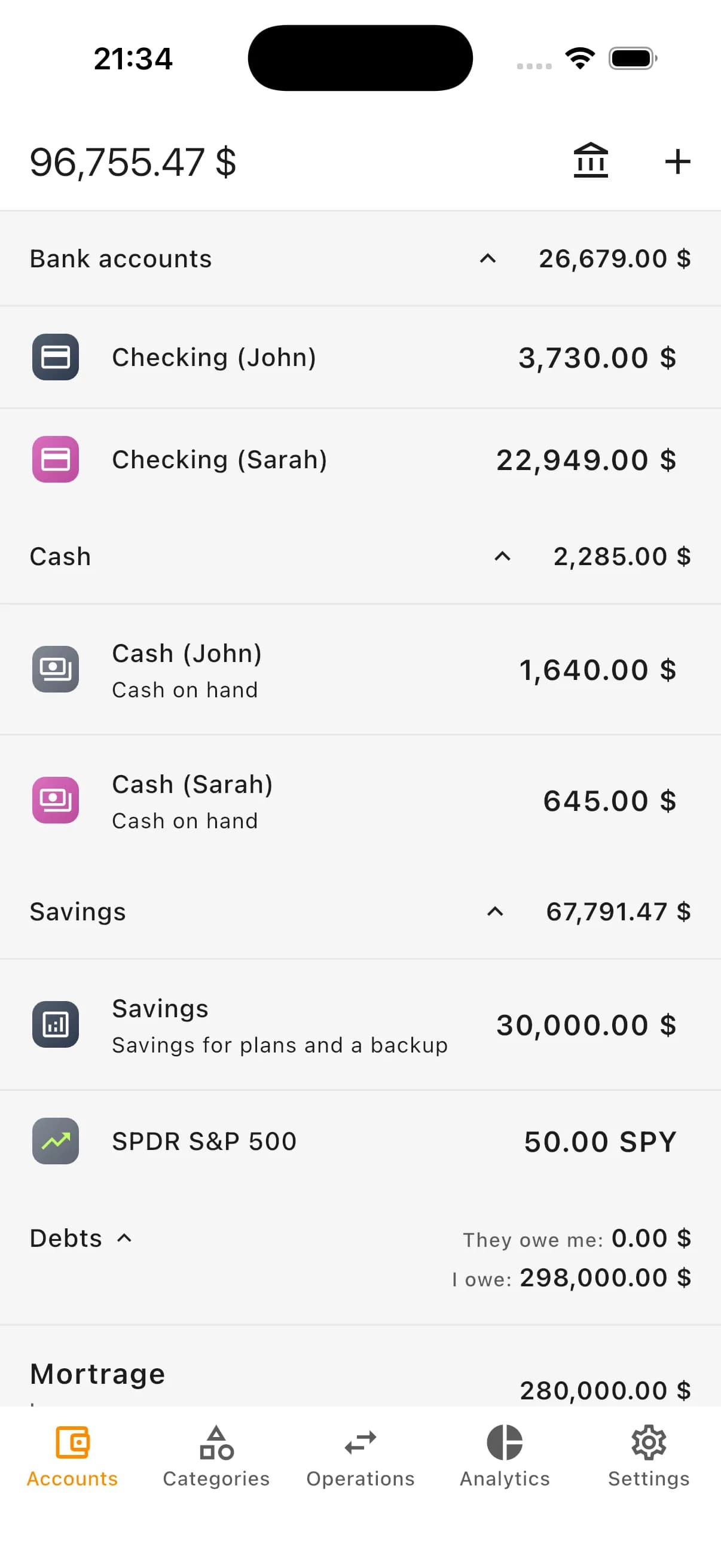
- Distribution across accounts
- Full personal or family budget picture
Why this is easier than spreadsheets and notes
Spreadsheets quickly turn into manual routine: add categories by hand, recalc formulas, and build summaries yourself.
In Kiso Money operations are immediately connected with accounts, categories, plans, and analytics, so you see impact on budget without extra calculation.
Personal and family expense control
For family budgeting, keep categories shared and split money sources at account level: personal cards, shared cards, cash, and savings.
What you get
- Clear daily spending structure
- Categories and subcategories for your habits
- Analytics by spending directions
- Plans by categories
- Expense tracking across multiple accounts
- Separation of expenses, transfers, and savings
- Strong base for personal or family budgeting
How it looks in the app: expense entry
How it looks in the app: categories
How it looks in the app: monthly overview
How it looks in the app: accounts overview
How it looks in the app: operations feed
Who this feature is for
- People who want to understand where money goes
- Users who need regular transaction logging
- Budgets with multiple accounts and cards
- Users tracking finance in multiple currencies
- Personal and family financial control scenarios
- Users moving away from spreadsheets and notes
FAQ
Can I create custom categories?
Yes. You can tailor categories for personal or family budgeting so analytics matches your real spending behavior.
Does this work for family budgeting?
Yes. You can track spending in a shared family context and review categories, accounts, and recurring expenses together.
Do I need to record every small expense?
At the beginning, it is better to track most expenses to build a real baseline. Later you can simplify and focus on key categories.
How is an expense different from a transfer?
An expense is money that is spent. A transfer is money moved between your own accounts. Keep them separate for accurate analytics.
Why is in-app expense tracking better than spreadsheets?
Entries are immediately connected with accounts, categories, plans, and analytics, so you do not need to maintain formulas and manual summaries.
Can I control expenses in multiple currencies?
Yes. Kiso Money supports multi-currency accounts, so you can track expenses in the currency where they occur.
Try expense tracking in Kiso Money
Add expenses and income, manage categories, use plans, and review clear budget analytics in one place.