Feature
Accounts, Currencies, and Assets
Build a clear account structure for cards, cash, savings, currencies, and assets, then analyze everything in one base-currency view.
Key benefits
- Accounts for cards, cash, and savings
- Account grouping for cleaner structure
- Custom icons and account descriptions
- Support for multiple currencies and assets
- Conversion to base currency
- Savings account workflows
- Transfers between your own accounts

Why accounts matter
- See where your money is stored: cards, cash, savings, and other financial places.
- Avoid mixing all funds into one number so available money and reserves stay clear.
- Record operations precisely: expense withdraws from one account, income goes to another, transfer moves between your own accounts.
- Get one total picture in base currency even when accounts use different currencies or assets.
Accounts for cards, cash, and savings
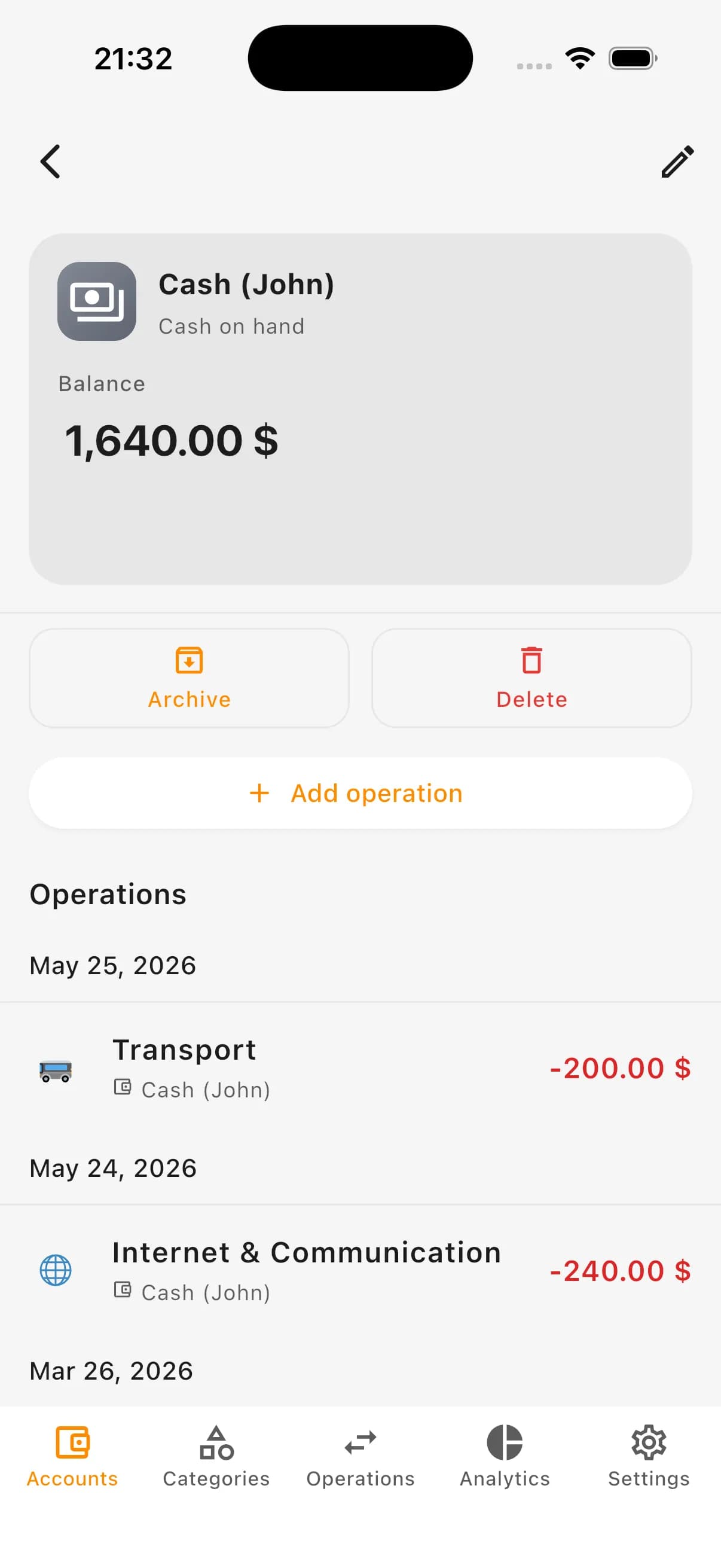
In Kiso Money an account is any place where your money is stored: a bank card, cash wallet, dedicated savings account, foreign-currency account, or another source you want tracked separately.
You can customize account names, icons, and descriptions. For cards, the last four digits help quickly distinguish similar accounts.
Examples of accounts
- Primary bank card
- Cash wallet
- Card for daily spending
- Savings account
- Foreign-currency account (USD/EUR)
- Dedicated family expense account
- Account for a financial goal
Customize account appearance
When account count grows, visual distinction becomes important. Kiso Money lets you set icon, icon color, background color, and short description for each account.
Icon editor supports ready icons and custom symbol style using a letter or short abbreviation.
What you can configure
- Account name
- Account icon
- Icon color
- Background color
- Account description
- Last 4 digits or short hint
- Custom letter/symbol mark
Account groups
As account volume grows, grouping keeps structure clean: bank cards, cash, savings, foreign currencies, and goal-specific accounts.
Groups make lists less noisy and help navigate quickly across personal and family finance structures.
Examples of account groups
- Bank cards
- Cash
- Savings
- Currency accounts
- Family accounts
- Financial goals
Account currency or asset
Each account has its own currency or asset: UAH, USD, EUR, gold, silver, platinum, or selected market instruments.
Operations inherit account currency automatically. For asset accounts, value can be converted to base currency by current rate or price.
What currency/asset support gives
- Clear balance per account
- Correct operations in account currency/asset
- Separation of UAH, USD, EUR, and other accounts
- Support for assets like gold, silver, platinum, and market instruments
- More accurate total finance analytics
- One total view in base currency
Base currency
Base currency is the main unit for total finance picture. For many users in Ukraine it is UAH, but you can choose what matches your life context.
For historical charts Kiso Money uses the rate or price for the exact chart day, not today’s value.
Where base currency is used
- Total money and assets amount
- Balance analytics by day
- Savings charts
- Overall personal/family finance view
- Cross-period comparisons
Savings accounts
Any account can be used as savings: emergency fund, travel, target purchase, currency reserves, or long-term accumulation.
Separate savings visibility helps avoid mixing reserves with daily spending money.
Typical savings account goals
- Emergency fund
- Vacation
- Tech purchase
- Home renovation
- Foreign-currency savings
- Asset-based savings (gold/silver)
- Long-term reserves
- Shared family goal
Transfers between your own accounts
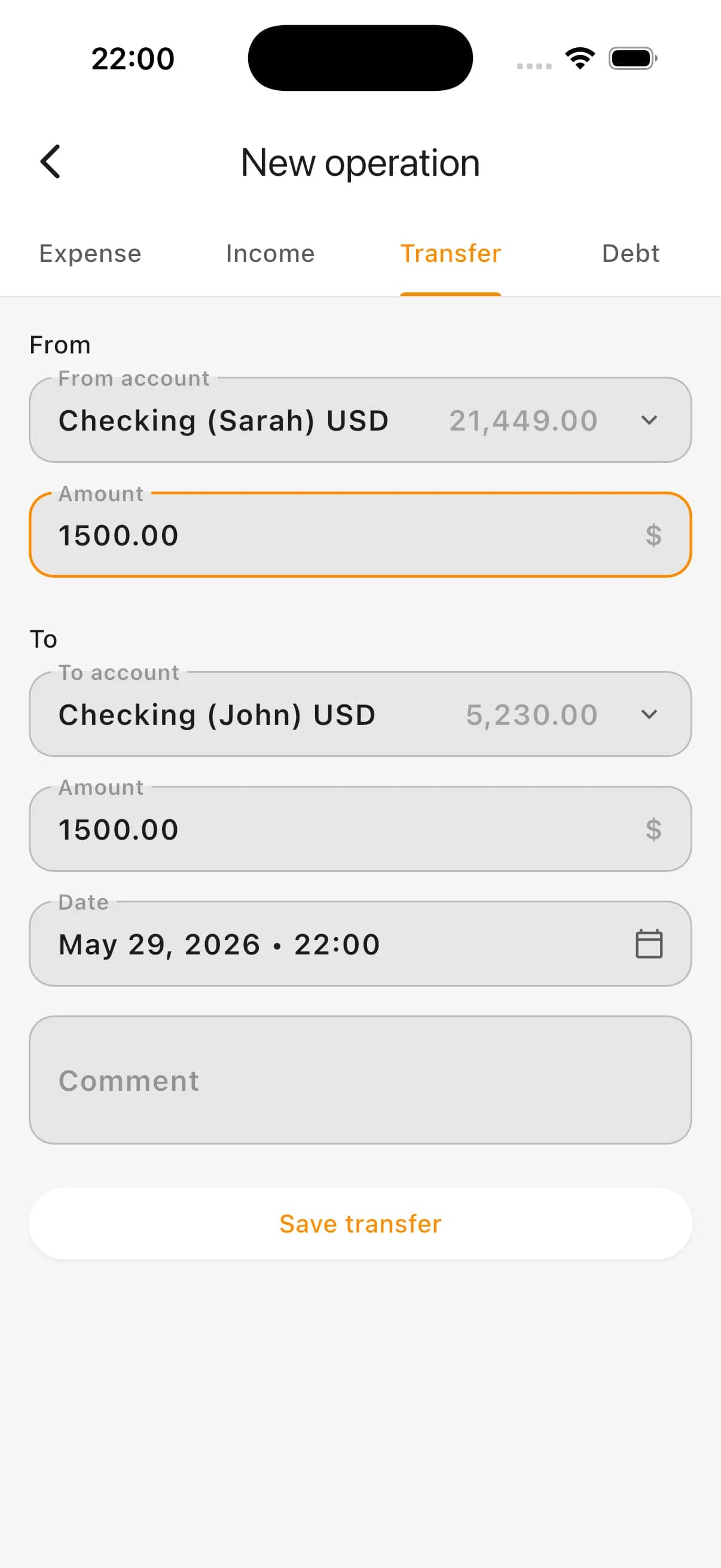
Transfer moves money from one of your accounts to another: card to cash, primary card to savings, or between currency accounts.
Transfer is not an expense. It only changes storage location. Real expense appears when money is actually spent.
Transfer examples
- Card to cash
- Primary card to savings
- Between personal and family account
- Between different currencies
- Return from one own account to another
How accounts are used in expenses, income, and analytics
Accounts connect operations to real finance structure: expense decreases selected account, income increases selected account, transfer updates two balances at once.
In analytics, accounts improve total balance accuracy, history tracking, and savings view while keeping focus on overall financial dynamics.
What you get
- Realistic money structure
- Clear names, icons, and account descriptions
- Balance per each account
- Separation of cards, cash, and savings
- Accounts in different currencies and assets
- Total picture in base currency
- Correct transfers between own accounts
- More accurate expense, income, and savings analytics
How it looks in the app: accounts list
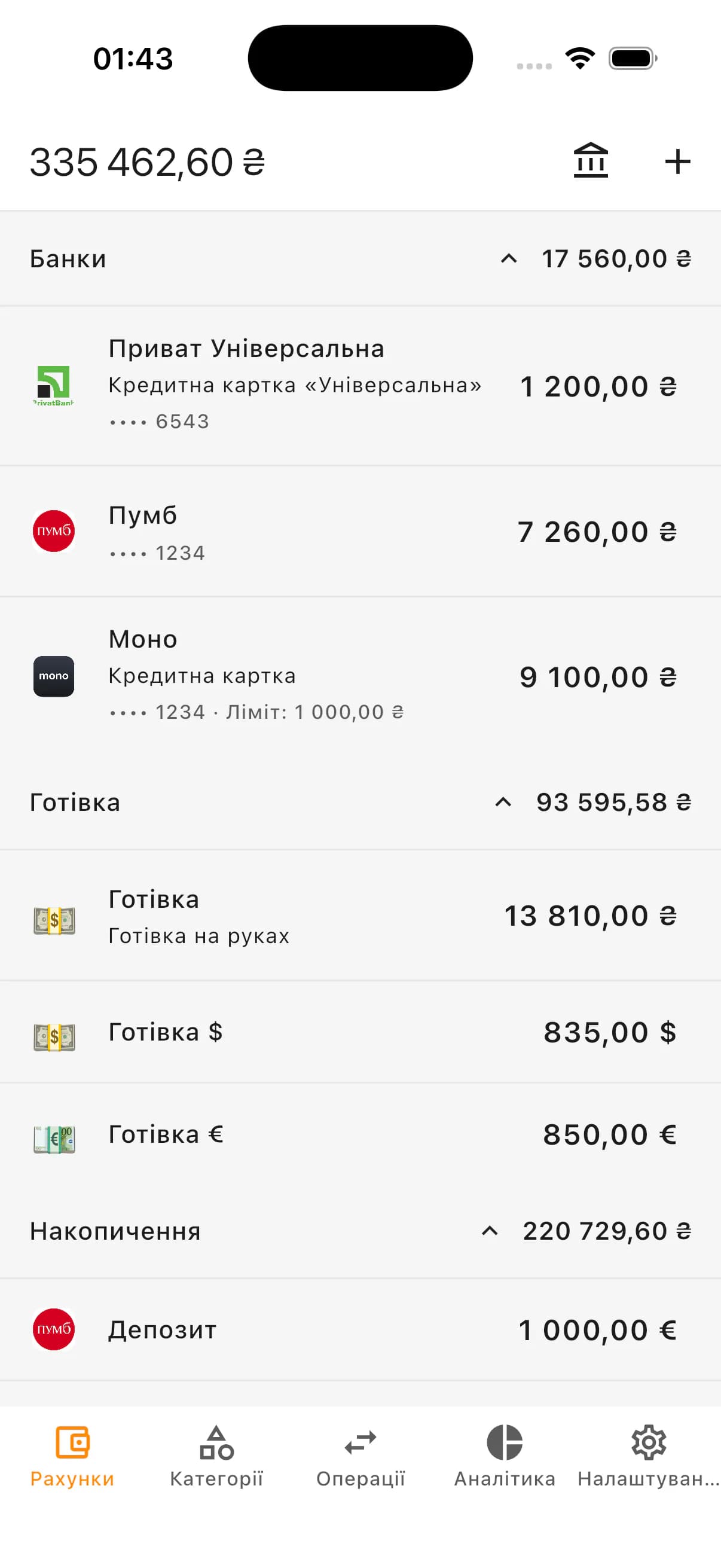
How it looks in the app: currency and asset view
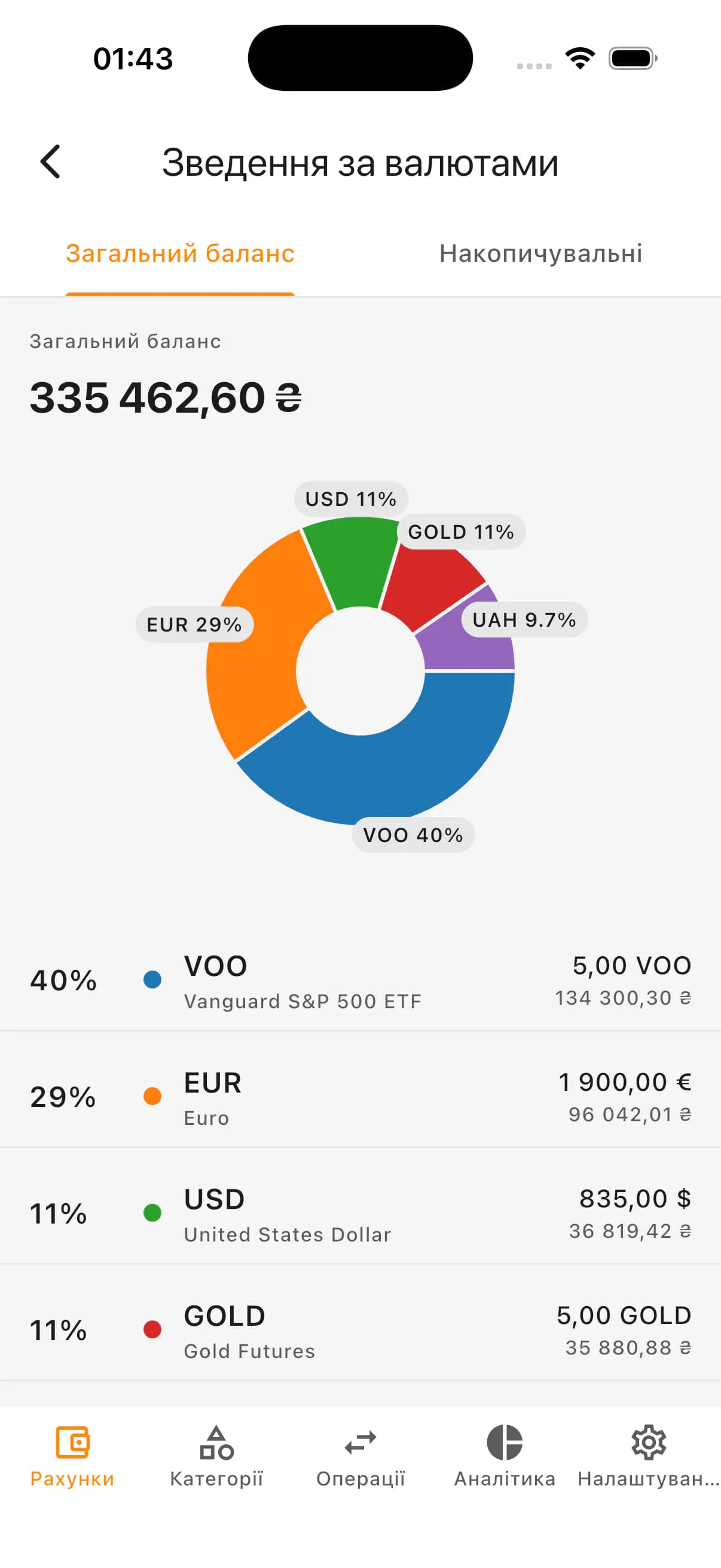
How it looks in the app: savings account
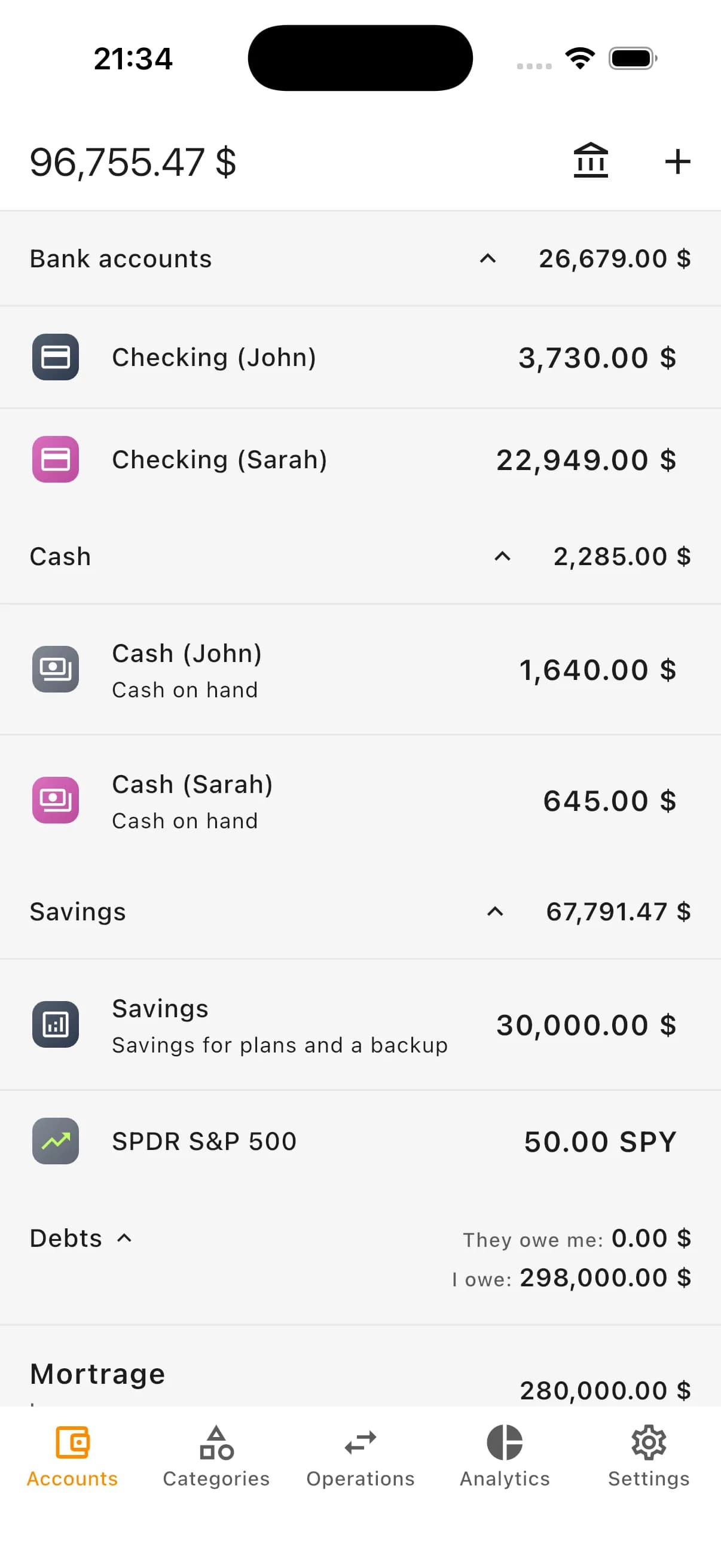
How it looks in the app: transfer between accounts
Who accounts and currencies in Kiso Money are for
- People with multiple cards or accounts
- People separating cash from bank money
- People keeping part of funds in foreign currencies or assets
- People separating savings from daily spending
- Personal and family budget workflows
- People wanting full financial picture without spreadsheets
FAQ
What is an account in Kiso Money?
An account is any place where money is stored: card, cash, savings, foreign-currency account, or another source tracked separately. You can also customize icon, colors, description, and short hints.
Can I create multiple accounts?
Yes. Create separate accounts for cards, cash, savings, currencies, and other financial goals.
Can I customize account appearance?
Yes. You can use ready icons, custom symbols, icon/background colors, and descriptions to make accounts easy to distinguish.
Can accounts be grouped?
Yes. Group accounts by logic such as cards, cash, savings, or currency accounts.
Can I keep accounts in different currencies and assets?
Yes. Each account can have its own currency or asset so money and holdings are tracked as they are actually stored.
What is base currency?
Base currency is the main unit for the total financial picture. Other currencies and assets are converted into it for analytics and charts.
How are historical chart values converted?
Each chart point uses the rate or price for that specific day. Past points are not recalculated by today’s value.
How is a transfer different from an expense?
Transfer moves money between your own accounts. Expense is money actually spent. Keeping them separate is essential for accurate analytics.
Can an account be used as savings?
Yes. Mark an account for savings goals and track it separately in savings analytics.
Start with simple accounts
Start with a few core accounts (main card, cash, savings) and expand structure later as your workflow grows.