Feature
Bank Transaction Import in Kiso Money
Connect your bank source, link accounts to app accounts, and automatically import transactions for spending categories and analytics.
Key benefits
- Connection via secure permission flow
- Read-only access to statements and accounts
- Linking imported accounts with Kiso Money accounts
- Automatic import of new transactions
- Import of historical operations for selected period
- Auto category matching for recurring operations
- Split one transaction into several categories
- Transfer recognition between connected accounts

How bank transaction import works
Bank import is enabled through a secure authorization flow where the user explicitly sees what access is requested.
Kiso Money uses this connection in read-only mode to import accounts and statements into expense tracking and analytics.
What data is used
Integration is designed to import banking operations and map them to categories, dates, amounts, and analytics views in Kiso Money.
What can be used
- Connected bank account list
- Statements for connected accounts
- New transactions after connection
- Historical transactions for selected period
- Operation data needed for category mapping, amount, date, and analytics
What Kiso Money does not get
- No access to your money
- No ability to make transfers
- No ability to pay for purchases
- No ability to manage a bank account
Link bank accounts with app accounts
After connection, each imported bank account can be linked to an existing account in Kiso Money or to a newly created one.
If linked account details drift over time, Kiso Money can show a correction action to sync account name, description, card tail, or balance.
Automatic loading of new transactions
After accounts are linked, new bank transactions can appear automatically in Kiso Money, reducing repetitive manual entry.
Imported operations participate in expenses, income, transfers, and analytics, while you can still fine-tune categories when needed.
Automatic category matching
Kiso Money can remember your category choice for recurring operations and suggest it next time for similar merchant patterns.
This is especially useful for supermarkets, fuel stations, cafes, subscriptions, transport, pharmacies, and other repeat payments.
Import historical operations
You can import not only new transactions but also historical ones for a selected period, such as 7 days, a month, or longer.
Some imported operations may still need category confirmation, which improves analytics accuracy and future auto-matching quality.
Split one transaction into multiple categories
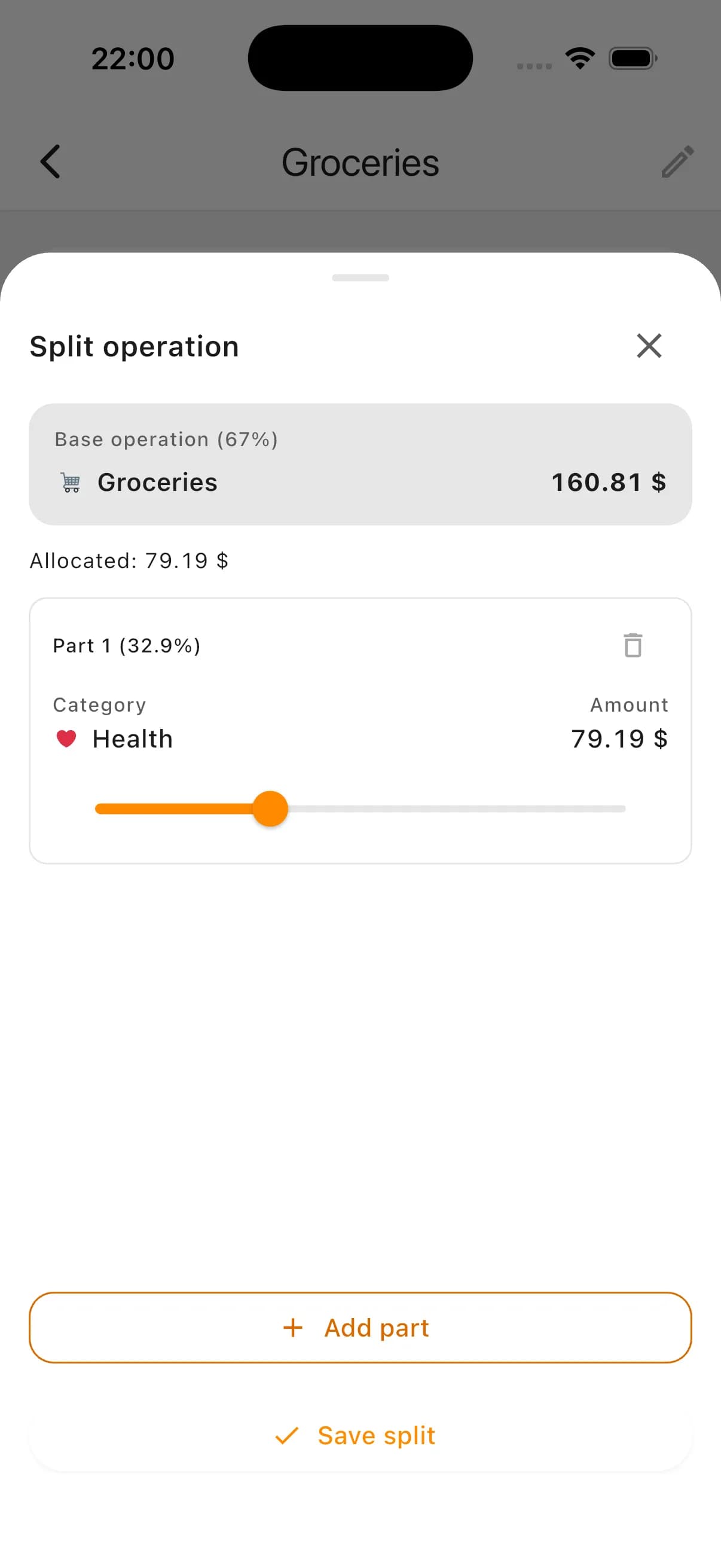
Some card operations include mixed purchases in one receipt. In Kiso Money you can split one transaction into parts and assign each part to the right category.
This keeps analytics accurate: groceries go to groceries, household goods to household, and total operation amount stays consistent.
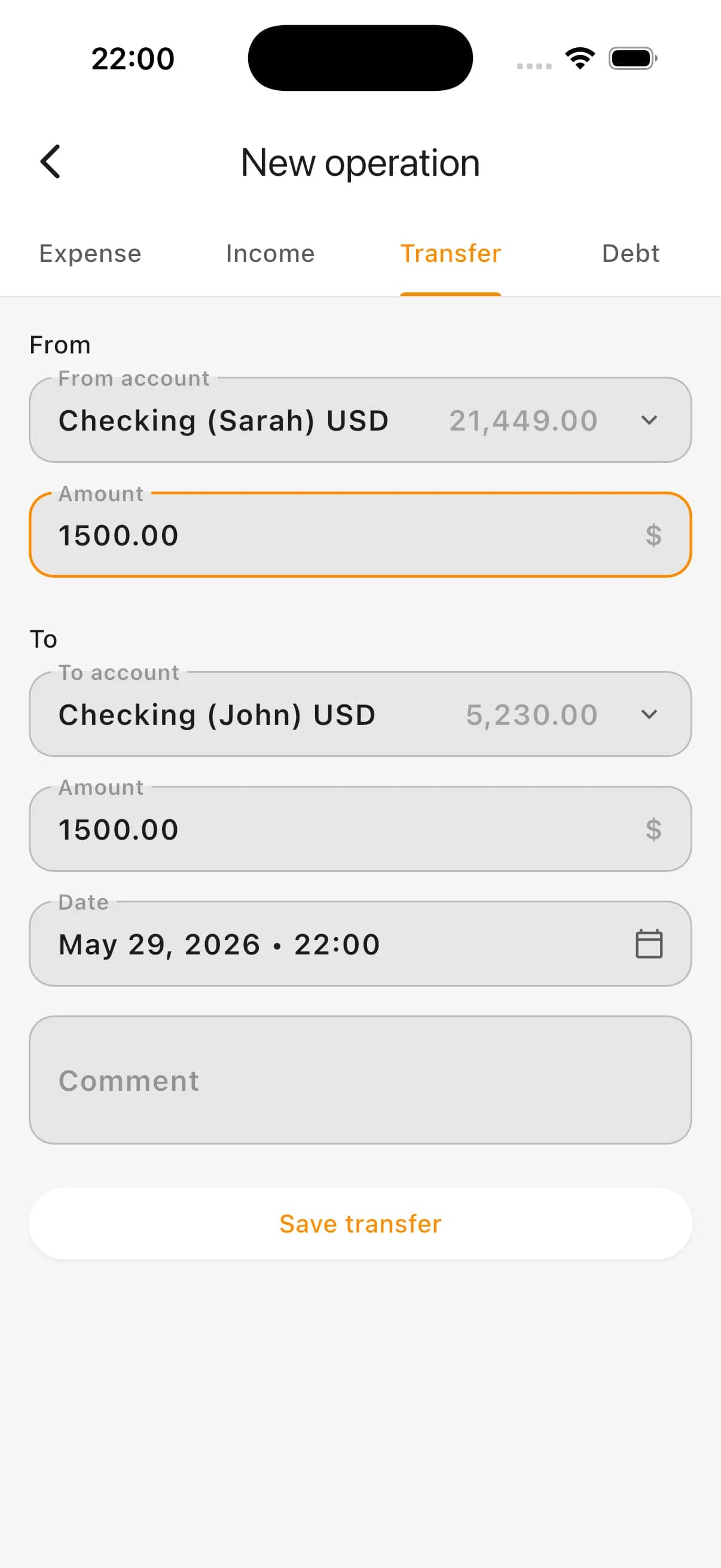
Transfers between connected accounts
When several bank accounts are connected (for example, cards used by family members), Kiso Money can detect internal transfers between them.
Such operations should not be treated as normal expense or income, so budget analytics stays clean and not distorted by internal money movement.
Bank import for personal and family budgeting
For personal budgeting, integration helps auto-import card operations and reduces reliance on manual entry.
For family budgeting, multiple linked accounts help build one shared view of spending even when purchases are paid with different cards.
When integration is especially useful
- You pay with bank cards frequently
- You do not want to add every operation manually
- You want up-to-date spending analytics
- You use several cards or accounts
- You run a family budget
- You need to import historical operations
- You need more accurate category distribution
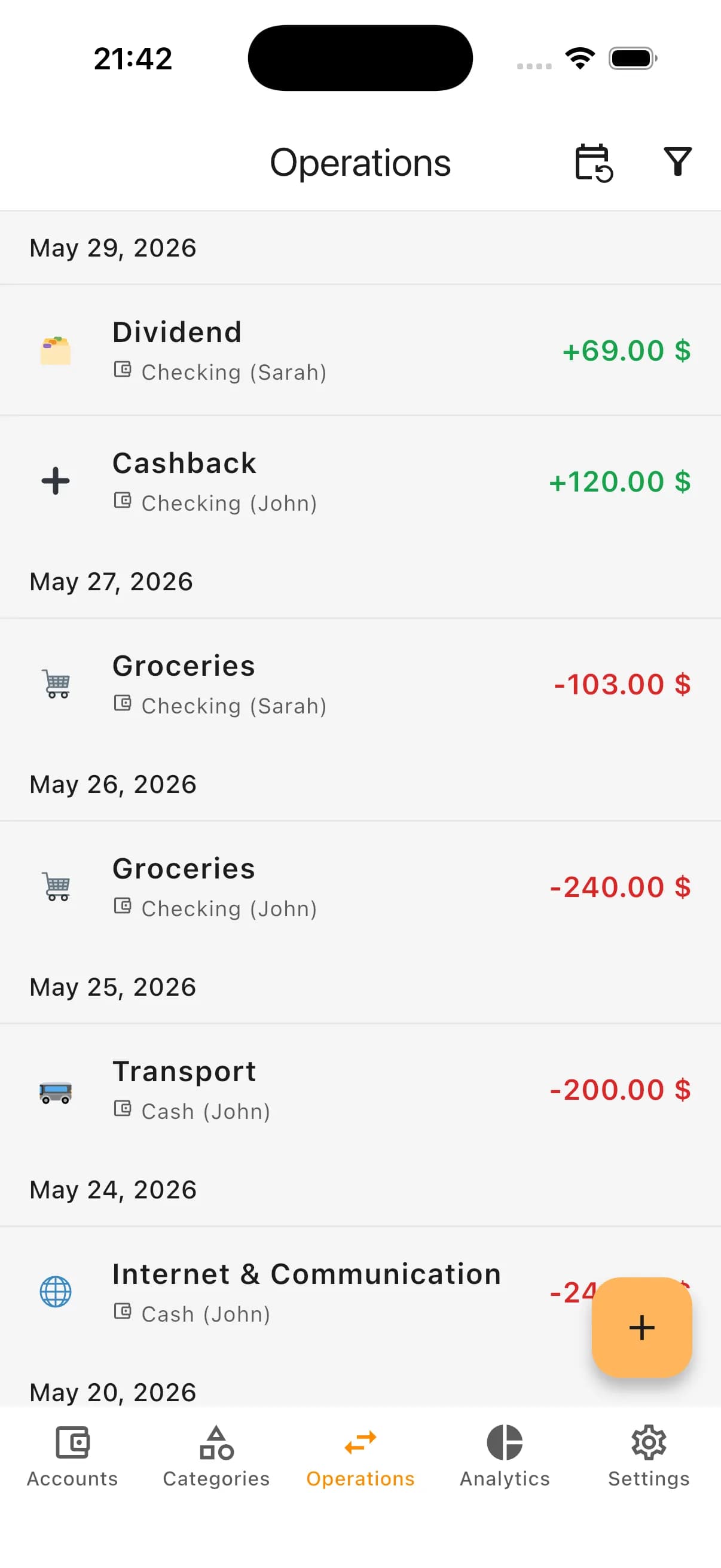
How it looks in the app: operations feed
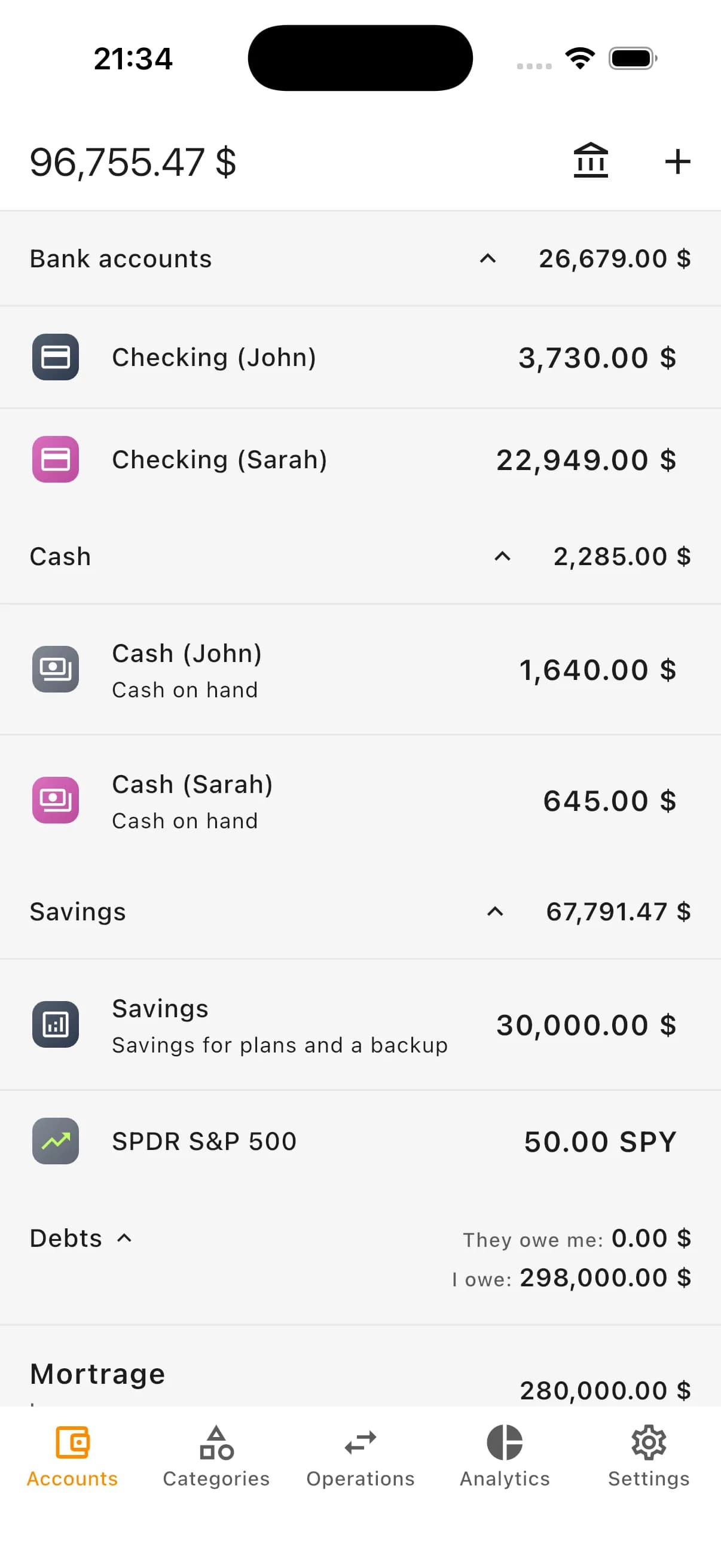
How it looks in the app: account linking
How it looks in the app: transfer between accounts
How it looks in the app: split transaction
FAQ
Does Kiso Money get access to my money?
No. Integration is used for reading accounts and statements. It does not allow transfers, payments, or money management in your bank account.
What does the user approve when connecting a bank?
The provider shows what data access is requested during permission flow. Usually it includes account list and statements needed to import operations.
Can I link an imported account to an existing account in Kiso Money?
Yes. You can link each imported account to an existing app account. If details differ, Kiso Money can suggest correction for account name, description, card tail, or balance.
Will new operations be loaded automatically?
Yes. After connection and account linking, new bank transactions can automatically appear in Kiso Money.
Can I import old transactions?
Yes. You can import historical operations for a selected period: for example 7 days, one month, or a longer range.
Do I need to select categories manually for all operations?
Usually you set categories for early operations, then Kiso Money can auto-suggest categories for similar recurring transactions.
What if one purchase belongs to different categories?
Split the transaction into several parts and map each part to a separate category.
How are transfers between connected accounts shown?
When movement between connected accounts is detected, it can be marked as transfer instead of expense or income so analytics stays accurate.
Try bank transaction import in Kiso Money
Connect your bank source, link accounts in the app, and use automatic transaction import for expense tracking and analytics.